 vikram@gmail.com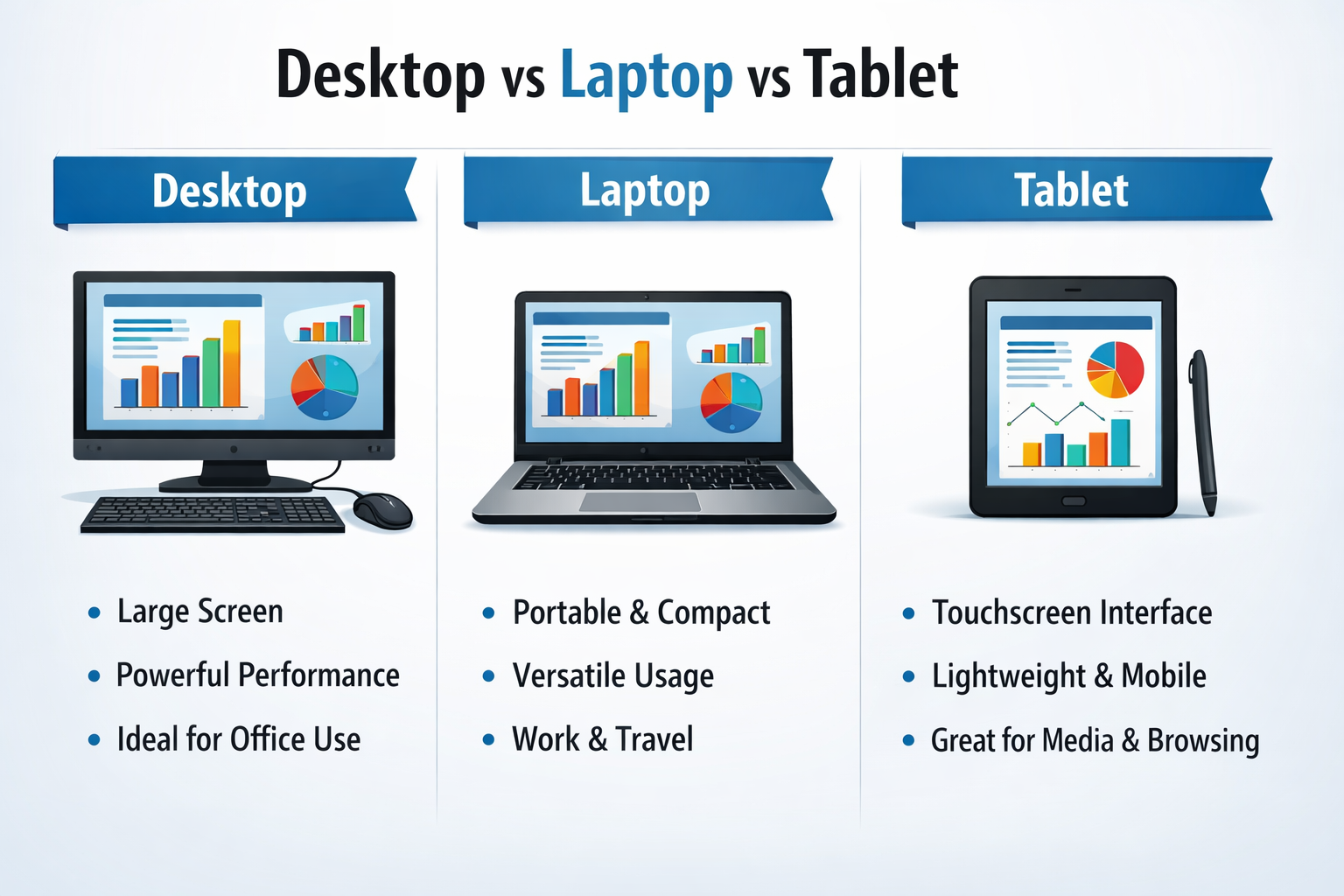
In the modern digital age, choosing the right computing device can feel overwhelming. Should you buy a desktop, a laptop, or a tablet? Each device serves a different purpose and comes with its own set of advantages and limitations. Whether you are a student, a working professional, a gamer, or a casual user, understanding the key differences between a desktop, laptop, and tablet will help you make the smartest buying decision. This comprehensive guide breaks down everything you need to know — in plain, simple language.
Quick Comparison: Desktop vs Laptop vs Tablet
Before diving deep into each device, here is a side-by-side overview of the three main types of personal computers:
| Feature | Desktop | Laptop | Tablet |
| Portability | None / Fixed | High | Very High |
| Performance | Excellent | Very Good | Moderate |
| Battery Life | Needs Power | 4–12 Hours | 8–16 Hours |
| Price Range | $300–$3000+ | $250–$2500+ | $100–$1200+ |
| Best For | Power Users | All-Rounders | Casual Use |
| Screen Size | 22″–34″ | 11″–17″ | 7″–13″ |
| Input Method | Mouse + Keyboard | Touchpad + Keys | Touchscreen |
What Is a Desktop Computer?
A desktop computer is a full-sized personal computer designed to be used at a fixed location — typically on a desk or table at home or in an office. It consists of separate components: a tower (or case) that houses the processor, memory, and storage, along with an external monitor, keyboard, and mouse. Desktops are not meant to be carried around, but what they lack in portability, they more than make up for in raw power and upgradability.
Key Features of a Desktop Computer
- Superior Processing Power — Desktop CPUs run at higher speeds and are not throttled by heat or battery limitations, making them ideal for video editing, 3D rendering, gaming, and programming.
- Upgradable Hardware — Unlike laptops or tablets, you can easily upgrade the RAM, storage, graphics card, and cooling system in a desktop, extending its lifespan significantly.
- Larger Display Options — Desktops support monitors from 22 inches up to ultra-wide 34-inch+ screens, giving you more screen real estate for multitasking.
- Better Cooling — Desktop cases have more room for fans and cooling systems, allowing the components to run at peak performance for longer periods without overheating.
- Cost-Effective Performance — For the same price, a desktop delivers significantly more power than a laptop or tablet.
- Wired Connectivity — Multiple USB ports, HDMI outputs, audio jacks, and Ethernet ports give you reliable, fast connections.
Who Should Buy a Desktop?
- Graphic designers, video editors, and animators who need maximum GPU and CPU power
- PC gamers who want the best graphics performance and fast refresh rates
- Programmers and developers running resource-intensive development environments
- Businesses and offices where employees work from a fixed workstation
- Anyone who does not need to move their computer and wants the best value for money
The biggest drawback of a desktop is that it cannot run on battery power. If the electricity goes out, your work stops. But for sheer computing muscle and long-term value, nothing beats a well-configured desktop computer.
What Is a Laptop Computer?
A laptop is a portable, all-in-one personal computer that integrates the screen, keyboard, trackpad, battery, and all computing components into a single compact unit. You can use it anywhere — at home, in a cafe, at school, on a train, or at a client meeting. Laptops are the most versatile computing devices available today and are used by hundreds of millions of people worldwide.
Key Features of a Laptop Computer
- Portability — Weighing between 1 kg and 3 kg, laptops can be carried in a bag and used virtually anywhere, making them perfect for people on the go.
- Built-In Battery — Most modern laptops offer 6 to 12 hours of battery life, allowing you to work, study, or browse without being tethered to a power outlet.
- All-in-One Design — The keyboard, trackpad, webcam, speakers, and microphone are all built in, so there are no extra peripherals to carry.
- Wide Range of Models — From budget models under $250 to ultra-premium MacBook Pros and Dell XPS units above $2,000, there is a laptop for every budget and use case.
- Good Performance — Modern laptops, especially those with AMD Ryzen or Intel Core processors and dedicated GPUs, handle demanding tasks like photo editing, coding, and gaming.
- Wi-Fi and Bluetooth Built-In — Always ready to connect to wireless networks and peripherals without any setup.
Types of Laptops Available in 2025
- Ultrabooks (Thin & Light) — Models like the MacBook Air and Dell XPS 13 prioritize sleek design and battery life.
- Gaming Laptops — Equipped with NVIDIA or AMD dedicated GPUs for high-frame-rate gaming on the go.
- Business Laptops — Models like the ThinkPad or HP EliteBook are built for durability and enterprise security features.
- Budget Laptops — Chromebooks and entry-level Windows laptops for students and everyday browsing.
- 2-in-1 Convertible Laptops — Hybrids that fold 360 degrees to function as both a laptop and a tablet.
The laptop is the most popular computing device on the planet for a reason — it offers the best balance of performance, portability, and price. If you can only own one device, a laptop is almost always the most logical choice.
What Is a Tablet?
A tablet is a lightweight, touchscreen-based device that falls between a smartphone and a laptop in terms of size and capability. Tablets do not have a physical keyboard — you interact with them entirely through the touchscreen. They are designed primarily for media consumption, reading, browsing, casual gaming, and light productivity tasks. The most well-known tablets include the Apple iPad, Samsung Galaxy Tab, and Microsoft Surface Pro.
Key Features of a Tablet
- Touchscreen Interface — Tablets are controlled entirely by touch, making them intuitive and easy to use for people of all ages, including children and seniors.
- Extremely Lightweight — Most tablets weigh between 400g and 700g, making them far easier to carry and hold for extended periods than any laptop.
- Exceptional Battery Life — Tablets can last 8 to 16 hours on a single charge — far more than most laptops.
- Perfect for Media Consumption — Watching videos, reading e-books, browsing social media, and video calling are all fantastic experiences on a tablet.
- Optional Accessories — Keyboards, styluses (like Apple Pencil), and cases can transform a tablet into a semi-productivity device.
- App Ecosystem — Tablets run mobile operating systems (iOS or Android) with access to millions of apps optimized for touch.
Limitations of a Tablet
- Not ideal for typing large documents or coding — the on-screen keyboard is impractical for long-form work.
- Limited file management — tablets do not support traditional desktop software like full versions of Adobe Photoshop or Microsoft Office (though lightweight versions are available).
- Less powerful — tablet processors are designed for efficiency over raw performance.
- Less storage — most tablets come with 64GB to 256GB of internal storage, with no option to add a traditional hard drive.
Tablets are best thought of as companion devices rather than primary computers. They excel at what they do — media, reading, and casual use — but for serious work, most people will still reach for a laptop or desktop.
Desktop vs Laptop vs Tablet: Key Differences Explained
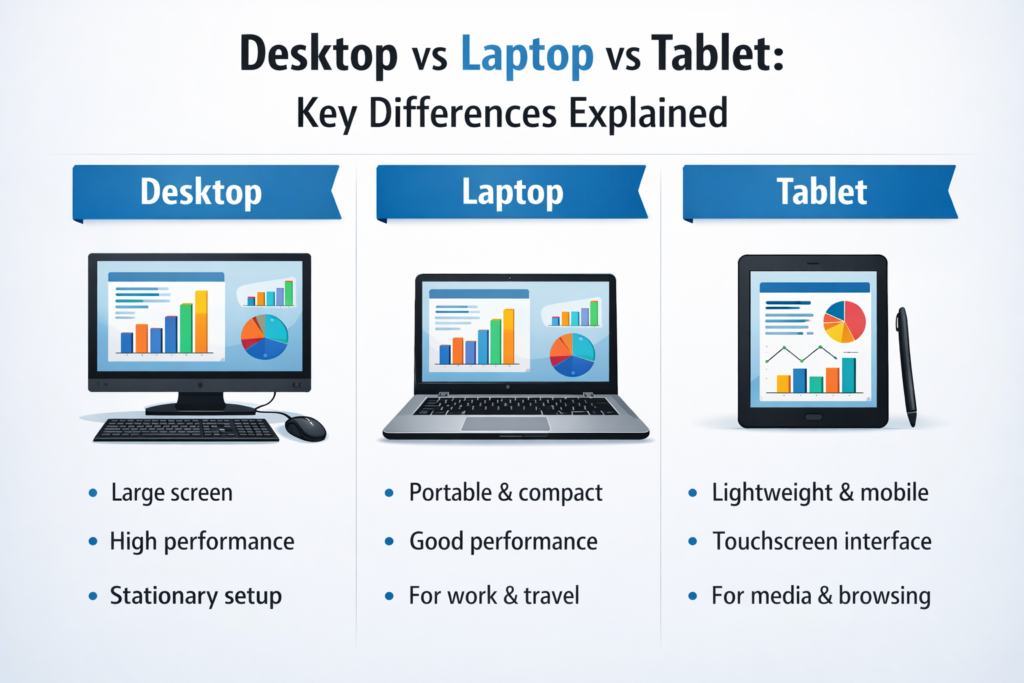
1. Portability
Desktops offer zero portability — they are permanently placed on your desk and require a constant power supply. Laptops are highly portable and can be used almost anywhere with battery power lasting most of the workday. Tablets are the most portable of all — slim, lightweight, and with the best battery life of the three.
2. Performance and Power
When it comes to raw performance, desktops win without contest. They house the most powerful processors, the largest amounts of RAM, and the most capable graphics cards. Laptops come in a strong second, with modern models capable of handling most professional tasks. Tablets, while efficient, are the least powerful and best suited for light tasks.
3. Price and Value
For the same budget, a desktop will always outperform a laptop, which will outperform a tablet. However, the true value depends on your needs. A $600 laptop that you can carry everywhere may provide far more value to a student than a $1,200 desktop that sits at home.
4. Display and Screen Size
Desktops support the largest and most impressive displays — from 24-inch Full HD monitors to 32-inch 4K or ultrawide screens. Laptops typically range from 13 to 17 inches. Tablets have the smallest screens, usually between 7 and 13 inches, though the display quality on premium models like the iPad Pro is outstanding.
5. Input Methods
Desktops use a full-size keyboard and mouse, offering the most comfortable and precise input experience for long working sessions. Laptops include a built-in keyboard and trackpad, which are adequate for most tasks. Tablets rely on a touchscreen, which is highly intuitive for casual use but can be frustrating for heavy typing or precision work.
6. Upgradability and Lifespan
Desktops can be upgraded over time — you can swap in more RAM, a larger SSD, or a new GPU as technology advances. This gives them a longer useful lifespan. Laptops have limited upgradability — usually only the RAM or storage can be replaced. Tablets are essentially non-upgradable beyond software updates.
Which Device Should You Choose?
The right device depends entirely on your lifestyle, budget, and primary use case. Here is a simple framework:
- Choose a Desktop if — You need maximum performance, you always work from the same location, you are a gamer or creative professional, and you want the best value for a fixed budget.
- Choose a Laptop if — You travel or move between locations regularly, you need a capable all-in-one device, you are a student or remote worker, and you want a single device that can do almost everything.
- Choose a Tablet if — You mainly browse the internet and watch content, you want a lightweight companion device for travel, you are looking for a device for children or seniors, or you use apps more than traditional software.
Many tech enthusiasts own a combination of devices — for example, a powerful desktop at home for work and gaming, plus a tablet for reading and streaming on the couch or while traveling. There is no single right answer; the best device is the one that fits your specific needs.
Final Thoughts: Desktop, Laptop, or Tablet — Know What You Need
Understanding the core differences between a desktop, a laptop, and a tablet is the first step toward making a smart technology investment. Each of these three device types has been designed for a specific set of tasks and lifestyles. The desktop offers unmatched power and value for fixed workstations. The laptop delivers the best balance of performance and portability for people who are always on the move. The tablet provides unparalleled convenience for casual, lightweight use.