 vikram@gmail.com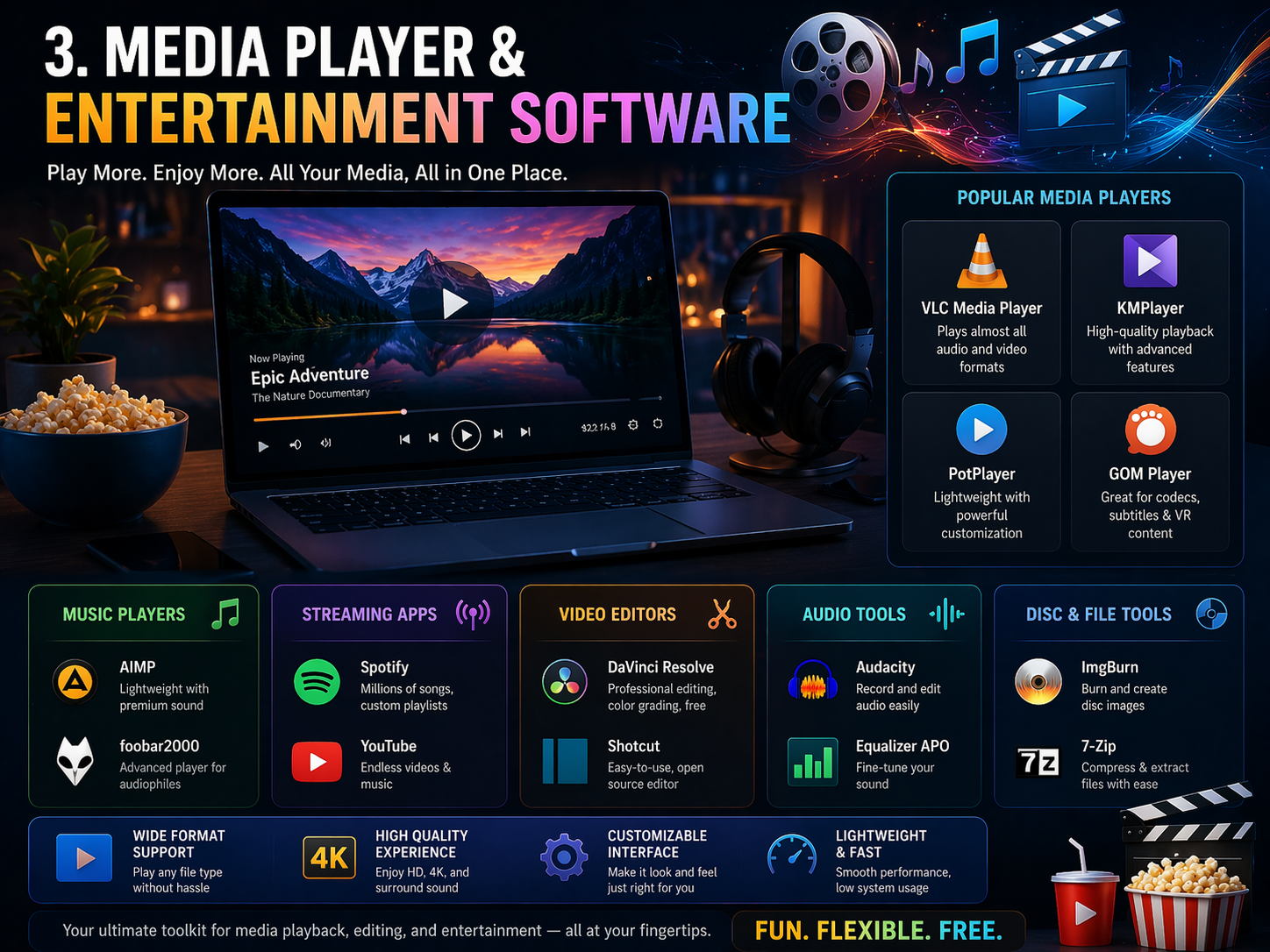
Introduction: Aapko Paid Software Ki Zarurat Kyun Nahi?
Aaj ke digital zamane mein, agar aap soochte hain ki achha software sirf paison se milta hai — toh aap galat hain. 2026 mein, Complete Free Software Guide for Windows ek aisi zarurat ban gayi hai jo har student, freelancer, aur professional ko chahiye. Duniya bhar mein lakho log aaj bhi premium software kharidne ke liye hazaron rupaye kharch karte hain, jabki unhi kamon ke liye world-class free tools available hain.
Is article mein hum aapko ek dum updated, trusted, aur powerful Complete Free Software Guide for Windows denge — jo 2026 ke liye bilkul perfect hai. Chahe aap video editing karte ho, office ka kaam karte ho, ya apna PC secure rakhna chahte ho — yahan har cheez ka jawab milega.
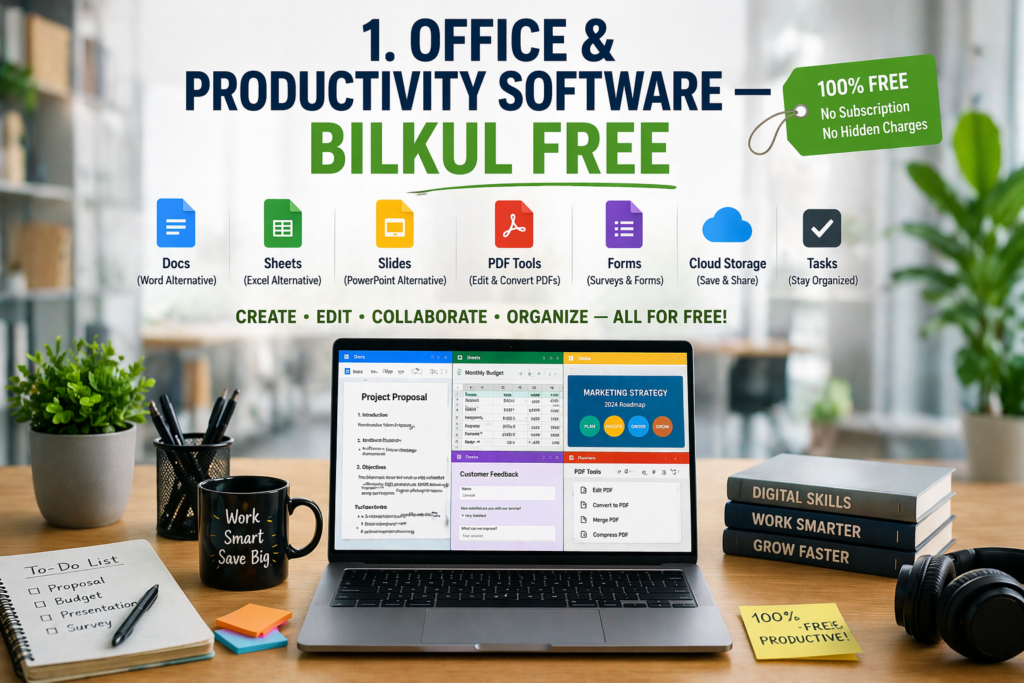
1. Office & Productivity Software — Bilkul Free
LibreOffice (Best Microsoft Office Alternative)
Agar aapke paas Microsoft Office ka license nahi hai, toh LibreOffice aapka sabse bada dost hai. Ye ek fully-featured office suite hai jisme Writer (Word jaisa), Calc (Excel jaisa), aur Impress (PowerPoint jaisa) sab kuch included hai.
- Platform: Windows 10, 11
- Size: ~350 MB
- Download: libreoffice.org
- Best For: Students, writers, accountants
Is Complete Free Software Guide for Windows mein LibreOffice top position par isliye hai kyunki ye .docx, .xlsx, .pptx sab formats support karta hai — matlab Microsoft Office ke files bhi isme open ho jaate hain bina kisi problem ke.
OnlyOffice Desktop Editors
OnlyOffice ek aur powerful option hai jo Microsoft Office ke saath 100% compatible hai. Iska interface bhi bilkul MS Office jaisa lagta hai, toh switching karna aasaan hota hai.
2. Internet Browsers — Fast & Secure
Mozilla Firefox
Firefox 2026 mein bhi ek top browser hai. Ye open-source hai, privacy-focused hai, aur aapka data kisi bhi company ko nahi bechta. Extensions ka ek bada collection available hai jo aapke browsing experience ko customize karta hai.
Brave Browser
Brave ek chromium-based browser hai jo ads aur trackers automatically block karta hai. Agar aap apni privacy ko seriously lete hain, toh is Complete Free Software Guide for Windows mein Brave aapka top choice hona chahiye.
- Built-in ad blocker
- Tor integration for private browsing
- 3x faster than regular Chrome
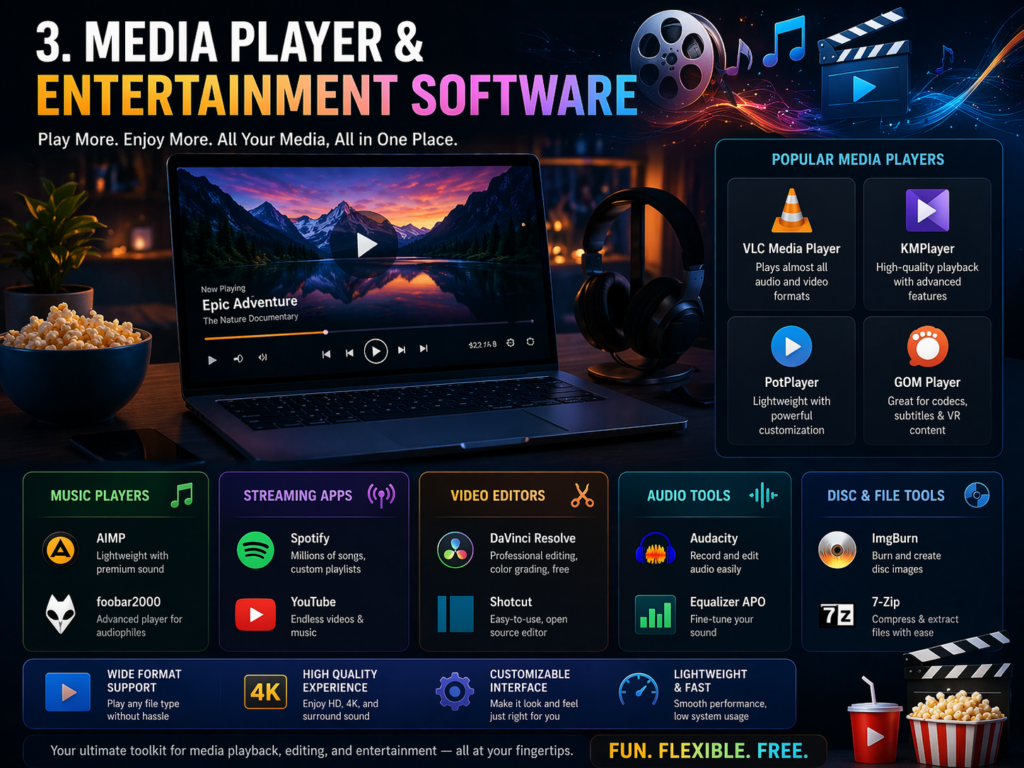
3. Media Player & Entertainment Software
VLC Media Player
VLC is duniya ka sabse popular free media player hai — aur iska reason simple hai. Ye almost har ek video aur audio format play karta hai bina kisi extra codec ke. MP4, MKV, AVI, FLV, MOV — koi bhi file VLC mein smoothly chalti hai.
Is Complete Free Software Guide for Windows mein VLC ko miss karna impossible hai. Ye bilkul lightweight hai aur Windows 11 par bhi perfectly kaam karta hai.
PotPlayer
PotPlayer ek Korean media player hai jo VLC se bhi zyada features offer karta hai — jaise ke subtitle customization, hardware acceleration, aur 4K HDR support. Ye bhi bilkul free hai.
4. Video Editing Software — Professional Level
DaVinci Resolve (Free Version)
2026 mein, agar aap professional video editing free mein chahte hain — toh DaVinci Resolve ka jawab nahi. Ye wahi software hai jo Hollywood movies edit karne ke liye use hota hai, aur iski free version mein bhi itne features hain ki aapko paid software ki zarurat hi nahi padegi.
- Color Grading: Industry-best color tools
- Audio Editing: Fairlight audio built-in
- 4K Support: Bilkul free mein
Is Complete Free Software Guide for Windows ki baat karein toh DaVinci Resolve video editors ke liye number one pick hai.
Kdenlive
Kdenlive ek beginner-friendly, open-source video editor hai jo Windows par smoothly run karta hai. Agar DaVinci Resolve thoda heavy lagta hai, toh Kdenlive ek excellent lightweight alternative hai.
5. Image Editing & Design Software
GIMP (GNU Image Manipulation Program)
GIMP ko “free Photoshop” kaha jaata hai — aur ye kafi had tak sach bhi hai. Photo editing, retouching, background removal, digital art — GIMP sab kuch kar sakta hai.
- Platform: Windows, Mac, Linux
- Size: ~200 MB
- Best For: Designers, photographers, bloggers
Is Complete Free Software Guide for Windows mein GIMP ko isliye include kiya gaya hai kyunki ye ek dum professional output deta hai — bilkul free mein.
Inkscape
Agar aapko vector graphics banana hai — logos, banners, icons — toh Inkscape aapka tool hai. Ye Adobe Illustrator ka free alternative hai aur SVG format ko perfectly support karta hai.
Canva Desktop App
Canva ki desktop app ab Windows par available hai aur free version mein bhi 1000+ templates, fonts, aur design elements milte hain. Social media posts, thumbnails, presentations — sab kuch minutes mein ban jaata hai.
6. Antivirus & Security Software — PC Ko Safe Rakhein
Windows Defender (Built-in)
2026 mein Windows Defender itna powerful ho gaya hai ki aapko koi third-party antivirus ki zarurat nahi. Microsoft ne is tool ko AI-powered threat detection ke saath upgrade kar diya hai.
Malwarebytes (Free Version)
Malwarebytes ka free version manual scan ke liye best hai. Agar aapko lagta hai PC mein koi malware ghus gaya hai — ek Malwarebytes scan problem solve kar deta hai.
Is Complete Free Software Guide for Windows mein security section isliye important hai kyunki bina protection ke koi bhi software guide incomplete hai.
7. File Compression & Management
7-Zip
7-Zip ek open-source file archiver hai jo ZIP, RAR, 7Z, TAR — sab formats support karta hai. Ye WinRAR se bhi better compression ratio deta hai aur bilkul free hai.
- Compression Ratio: 70% better than ZIP
- Encryption: AES-256 supported
- Size: Sirf 1.5 MB
Ye is Complete Free Software Guide for Windows ka ek underrated gem hai jo har PC mein hona chahiye.
8. PDF Reader & Editor
Adobe Acrobat Reader (Free)
PDF padne ke liye Adobe Acrobat Reader sabse reliable option hai. Iska free version PDF open karne, annotate karne, aur print karne ke liye perfect hai.
Foxit PDF Reader
Foxit ek lightweight Adobe alternative hai jo faster load time deta hai aur battery-friendly bhi hai laptops ke liye. Agar aap PDF files daily use karte hain, toh Foxit ek smart choice hai.
Smallpdf / PDF24
Online PDF editing ke liye Smallpdf aur PDF24 ke free tools amazing hain. Merge, split, compress, convert — sab kuch browser mein ho jaata hai bina koi software install kiye.
9. Communication & Collaboration Tools
Discord
Discord sirf gamers ke liye nahi hai — 2026 mein ye ek professional collaboration platform ban gaya hai. Free voice calls, video calls, file sharing, aur community management sab kuch yahan milta hai.
Zoom (Free Plan)
Zoom ka free plan 40-minute meetings ke saath 100 participants support karta hai. Agar aap online classes ya business meetings karte hain, toh Zoom ka free tier kaafi hai basic use ke liye.
Microsoft Teams (Free)
Microsoft Teams ka free version ab unlimited chat, file sharing, aur 60-minute video calls offer karta hai. Students aur small businesses ke liye ye ek solid option hai.
10. Development & Coding Tools
Visual Studio Code (VS Code)
VS Code duniya ka sabse popular code editor hai — aur ye bilkul free hai. JavaScript, Python, HTML, CSS, PHP — koi bhi language ho, VS Code uske liye extensions available hain.
Is Complete Free Software Guide for Windows mein developers ke liye VS Code ek must-have tool hai.
Git for Windows
Version control ke liye Git essential hai. Agar aap coding seekh rahe hain ya professional developer hain — Git install karna aapki pehli priority honi chahiye.
XAMPP
Local web server setup karne ke liye XAMPP best free tool hai. WordPress development, PHP projects, MySQL databases — sab kuch XAMPP ke saath locally test kar sakte hain.
11. Android Ke Liye Best Free Apps — 2026 Updated
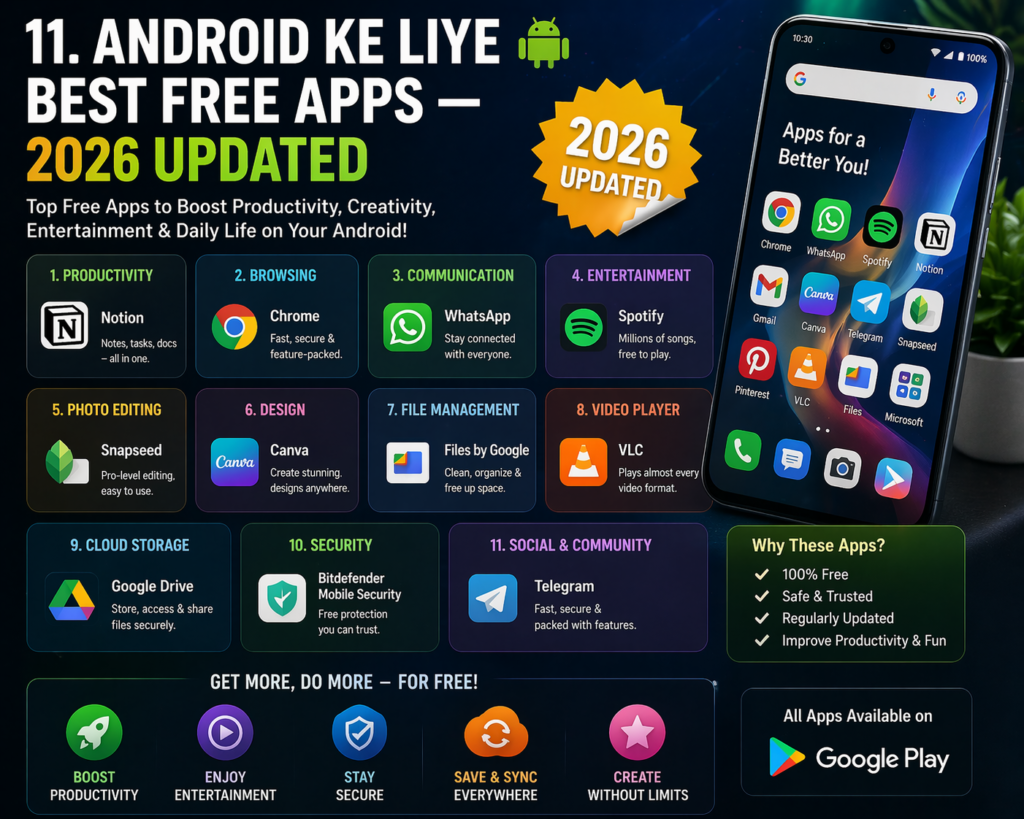
Is Complete Free Software Guide for Windows ke sath-sath Android users ke liye bhi kuch essential free apps:
| Category | App Name | Why It’s Great |
|---|---|---|
| Office | WPS Office | Full MS Office support, free |
| Browser | Firefox / Brave | Privacy-first browsing |
| Xodo PDF Reader | Fast, lightweight, free | |
| Video Player | VLC for Android | All formats support |
| Photo Edit | Snapseed | Professional photo editing |
| Security | Bitdefender Free | Lightweight protection |
| Compression | ZArchiver | RAR, ZIP, 7Z support |
| Cloud Storage | Google Drive 15GB | Free backup |
12. Bonus Tips: Free Software Ko Safe Tarike Se Download Karein
Ye section is Complete Free Software Guide for Windows ka ek important hissa hai jo mostly log ignore karte hain.
Rule #1: Sirf Official Websites Se Download Karein Kabhi bhi third-party sites se software download na karein. Hamesha developer ki official website use karein.
Rule #2: Ninite.com Use Karein Ninite ek trusted platform hai jahan se aap ek hi click mein multiple free software install kar sakte hain — bina any bloatware ke.
Rule #3: VirusTotal Par Check Karein Koi bhi downloaded file ko install karne se pehle virustotal.com par scan karein. Ye bilkul free service hai.
Rule #4: Auto-Update Enable Rakhein Software hamesha updated rakhna security ke liye zaruri hai. Outdated software hackers ka favorite target hota hai.
Conclusion: 2026 Mein Free Software = Smart Choice
Agar aap abhi bhi paid software ke peeche paisa kharch kar rahe hain bina sochein — toh ye Complete Free Software Guide for Windows aapke liye ek game-changer hai. Is guide mein diye gaye har tool ko carefully select kiya gaya hai — quality, safety, aur usefulness ke basis par.
Chahe aap ek student ho, blogger ho, video editor ho, ya small business owner — ye Complete Free Software Guide for Windows ensure karta hai ki aapke paas 2026 mein har kaam ke liye ek powerful, free, aur safe tool available ho.
Ye guide bookmark kar lein, apne friends ke saath share karein, aur inhe install karke apna experience comments mein zarur batayein. Aur agar aap aur bhi aise guides chahte hain — hamare blog ko follow karte rahein.