 vikram@gmail.com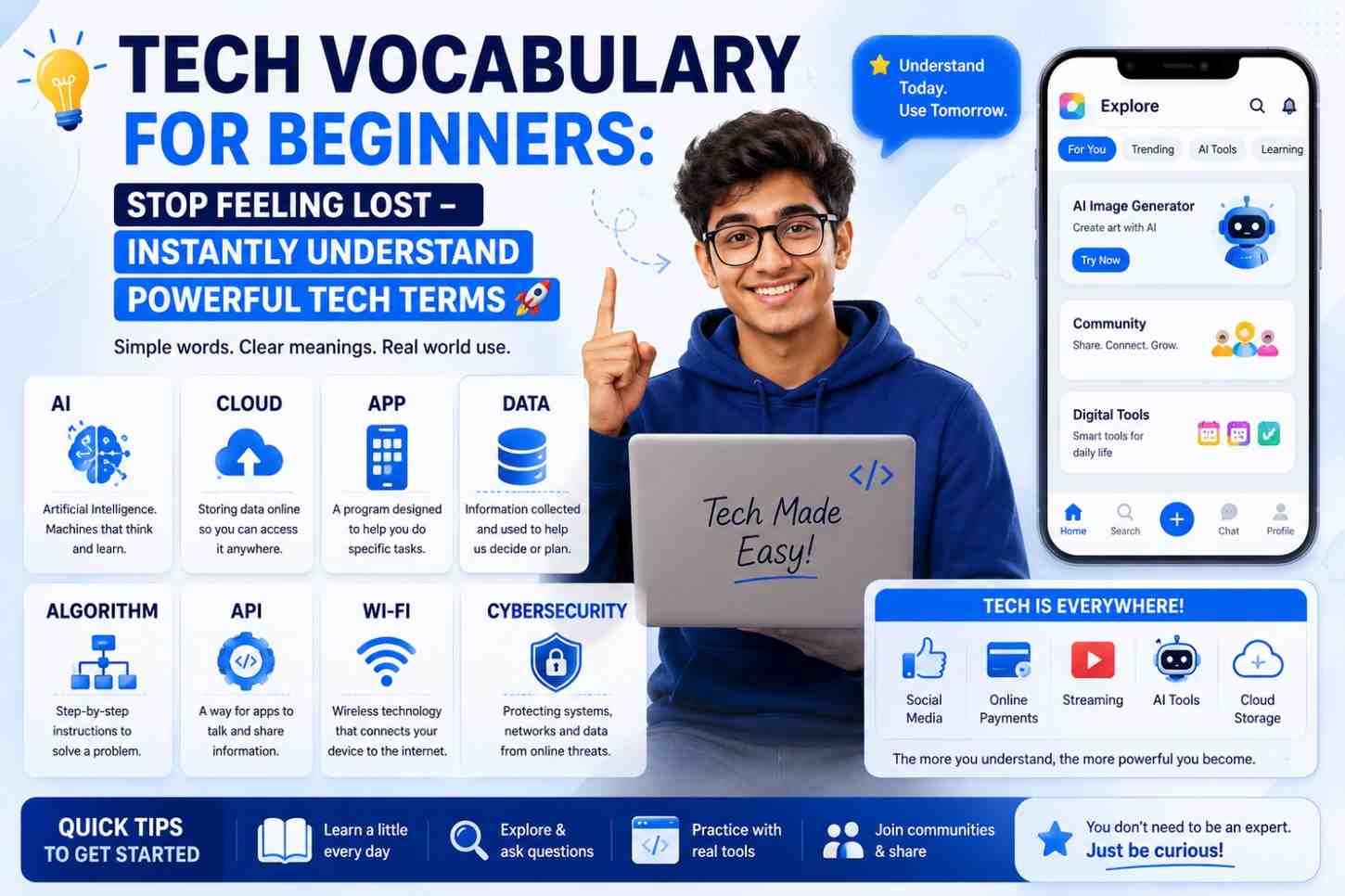
Introduction: Kya Aap Bhi Tech Baat Sun Ke Confuse Ho Jaate Ho?
Socho ek situation – aapka dost bol raha hai, “Bhai, mere laptop ki RAM kam hai, isliye slow chal raha hai, aur upar se cloud backup bhi nahi hua.” Aur aap bas muskura ke bol dete ho – “Haan bhai, sahi keh raha hai!” – jabki andar se kuch samajh nahi aaya.
Ye feel bahut common hai. Tech vocabulary for beginners ek aisi cheez hai jise log ignore karte hain, lekin aaj ke time mein ye jaanna bahut zaroori ho gaya hai. Chahe aap student ho, job dhundh rahe ho, ya sirf apna phone theek se use karna chahte ho – tech terms samajhna ab optional nahi raha.
Aaj ki is article mein hum tech vocabulary for beginners ko ekdum simple aur real-life examples ke saath cover karenge. Koi complicated language nahi, koi robotik boring explanation nahi – sirf seedhi, samajh mein aane wali baatein.
Tech Vocabulary for Beginners: Shuru Karte Hain Basics Se
1. Hardware vs Software – Yeh Dono Kya Hain?
Hardware woh cheezein hain jo aap haath se touch kar sakte ho – jaise laptop, keyboard, mouse, ya phone screen. Sab jo physical hai, woh hardware hai.
Software woh cheezein hain jo aap dekh toh sakte ho screen pe, lekin touch nahi kar sakte – jaise WhatsApp, YouTube, ya Windows. Software basically instructions hote hain jo hardware ko batate hain kya karna hai.
Real-life example: Aapka phone ek hardware hai. Aur usmein jo Paytm ya Instagram app hai – woh software hai.
2. CPU – Processor Kya Hota Hai?
CPU ka full form hai Central Processing Unit. Yeh aapke computer ya phone ka “brain” hota hai. Jo bhi kaam aap karte ho – video dekhna, game khelna, file open karna – sab CPU karta hai.
Jab log kehte hain “Snapdragon processor hai is phone mein” – woh actually CPU ki baat kar rahe hote hain.
Easy rule: Jitna powerful CPU, utni fast device.
Yeh tech vocabulary for beginners ka ek most important term hai kyunki almost har tech conversation mein processor ka naam aata hai.
3. RAM – Kya Hoti Hai Yeh?
RAM ka full form hai Random Access Memory. Isko aise samjho – yeh aapke desk ki jagah hai. Jitni badi desk, utne zyada kaam ek saath kar sakte ho.
Jab aap ek saath 5 apps open karte ho aur phone hang karne lagta hai – iska matlab RAM full ho gayi.
- 2GB RAM – Basic use ke liye (calls, WhatsApp)
- 4–6GB RAM – Normal use ke liye (social media, light games)
- 8GB+ – Heavy use ke liye (video editing, gaming)
Tip: RAM aur storage (memory) alag hoti hain. Ram temporary hai, storage permanent.
4. Storage – ROM Aur Internal Memory
Jab aap koi photo kheenchte ho ya app download karte ho – woh internal storage mein save hota hai. Isko ROM bhi kaha jaata tha pehle, lekin aajkal ise simply “storage” kehte hain.
Ye tech vocabulary for beginners ke liye important isliye hai kyunki bahut log RAM aur storage ko mix up karte hain.
Simply:
- RAM = working memory (temporary, fast)
- Storage = saving memory (permanent, slower)
5. Operating System (OS) – Phone/Computer Chalane Wala System
Operating System woh software hai jo aapke device ko chalata hai. Bina OS ke, aapka phone ya laptop ek bekaar box hai.
Common Operating Systems:
- Android – Most Android phones mein
- iOS – Apple iPhone mein
- Windows – Laptops aur computers mein
- macOS – Apple MacBooks mein
Tech vocabulary for beginners seekhne ke liye OS ka concept bahut basic hai – iske bina kuch bhi nahi chalega!
Intermediate Tech Terms Jo Aaj Har Jagah Use Hoti Hain
6. Internet, Wi-Fi, aur Bandwidth Ka Fark
Ye teen terms sunne mein similar lagte hain, lekin actually alag hain:
| Term | Meaning | Example |
|---|---|---|
| Internet | Duniya bhar ka connected network | Google search karna |
| Wi-Fi | Wirelessly internet connect karne ka tarika | Ghar ka router |
| Bandwidth | Internet ki speed/capacity | 100 Mbps plan |
Bandwidth basically ek pipe ki tarah hai – jitni wide pipe, utna zyada data ek saath flow karga. Aur agar ek hi pipe mein 10 log connected hain – sab slow ho jayenge!
7. Cloud Computing – Data Kahin “Upar” Nahi Hota!
“Cloud mein save karo” – yeh sunke lagta hai data literally badal mein chala gaya. Aisa nahi hai!
Cloud basically kisi doosri company ke server (powerful computer) pe aapka data store karna hai. Jab aap Google Drive ya iCloud use karte ho – aapka data in companies ke computers pe hota hai, jo internet ke through access hota hai.
Tech vocabulary for beginners ke liye cloud ek must-know term hai kyunki:
- Google Photos = cloud storage
- Netflix = cloud streaming
- Gmail = cloud email
8. IP Address – Digital Address Kya Hota Hai?
Jaise aapke ghar ka ek postal address hota hai, waise hi internet pe har device ka ek IP Address hota hai. Jab aap koi website open karte ho – aapka IP address server ko batata hai ki response kahan bhejna hai.
Aajkal IPv4 (jaise 192.168.1.1) aur IPv6 dono use hote hain.
9. Browser vs Search Engine – Yeh Dono Alag Hain!
Yeh ek bahut common confusion hai jo tech vocabulary for beginners mein hamesha hoti hai:
- Browser = App jisse aap internet access karte ho (Chrome, Firefox, Safari)
- Search Engine = Website jahan aap search karte ho (Google, Bing, DuckDuckGo)
Easily: Chrome ek browser hai. Google ek search engine hai. Aap Chrome mein Google use karte ho – dono alag cheezein hain!
10. App, Software, aur Program – Kya Ye Ek Hi Hain?
Basically haan, but slightly alag contexts mein:
- App = Mobile ke liye (Instagram app, Zomato app)
- Software = Computer ke liye (MS Word, Photoshop)
- Program = Technical language mein developers use karte hain
Aajkal “app” word almost sab jagah use hone laga hai – phone se lekar smart TV tak.
Advanced Tech Vocabulary for Beginners – Trending Terms 2024–2025
11. Artificial Intelligence (AI) – Machines Ko Samjhdaar Kaise Banate Hain?
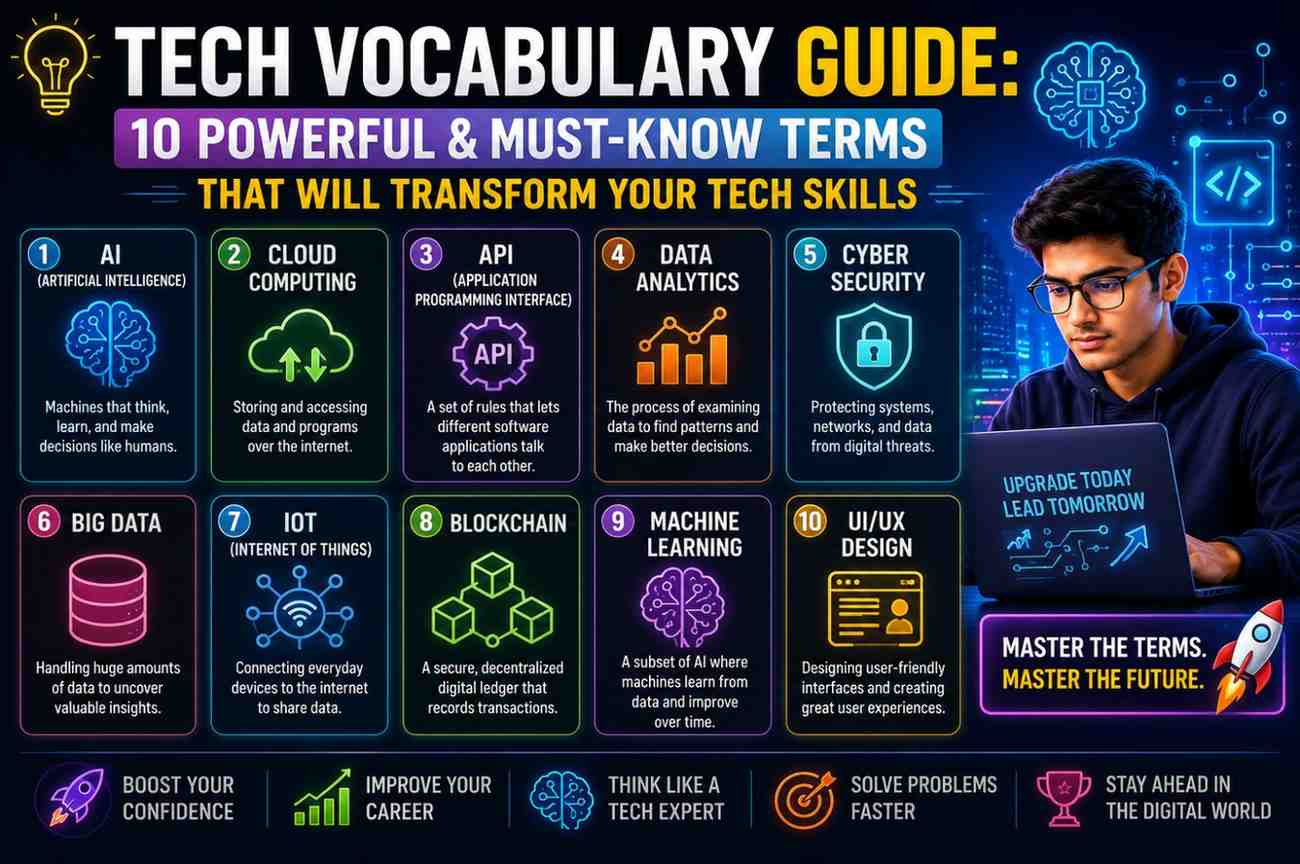
AI yani Artificial Intelligence – machines ko aise train karna ki woh insan jaisi soch dikhaayein. Jab aap ChatGPT se baat karte ho ya Google Maps aapko best route suggest karta hai – yeh sab AI ka kaam hai.
Tech vocabulary for beginners ke liye AI ka basic concept samajhna aaj kal bahut zaroori hai – kyunki yeh technology ab har jagah hai: phones, apps, hospitals, schools.
12. Machine Learning aur Algorithm
Machine Learning AI ka ek hissa hai – jahan machine data se khud seekhti hai bina explicitly program kiye.
Algorithm ek step-by-step process hai koi problem solve karne ki. Jab YouTube aapko exactly wahi video suggest karta hai jo aap dekhna chahte the – woh ek algorithm tha jo aapki history dekhkar kaam kiya.
13. Cybersecurity – Online Suraksha Ka Naam
Cybersecurity ka matlab hai aapke digital data ko hackers, viruses, aur unauthorized access se protect karna.
Common related terms:
- Virus/Malware – Harmful software jo aapki device ko damage karta hai
- Phishing – Fake links ya emails se data churana
- VPN – Virtual Private Network – aapki online identity hide karta hai
- Firewall – Unauthorized access rokne wali security layer
Tech vocabulary for beginners mein cybersecurity terms jaanna isliye zaroori hai kyunki online fraud aaj ek real problem hai India mein.
14. Blockchain – Sirf Crypto Nahi Hai Yeh!
Blockchain ek aise database ka structure hai jahan data multiple computers pe store hota hai aur change nahi kiya ja sakta easily.
Haan, Bitcoin aur Crypto is pe chalta hai – but blockchain ka use healthcare records, property registration, aur banking mein bhi hone laga hai.
Comparison Table: Common Tech Terms Ek Nazar Mein
| Tech Term | Simple Meaning | Real-Life Example |
|---|---|---|
| RAM | Working space | Desk pe rakhe papers |
| Storage | Saving space | Almirah mein rakha saman |
| CPU | Brain of device | Insaan ka dimaag |
| OS | Control panel | Traffic police |
| Cloud | Remote storage | Online locker |
| AI | Smart machine | Google Assistant |
| Bandwidth | Speed capacity | Road ki width |
| IP Address | Digital address | Postal address |
Frequently Asked Questions (FAQ)
Q1. Tech vocabulary for beginners ke liye sabse pehle kya seekhna chahiye?
Ans: Pehle hardware vs software, RAM vs storage, aur OS ka concept clear karo. Yeh 3 basics samajh aaye to baaki sab easy ho jaata hai. Tech vocabulary for beginners ka journey yahan se hi start hota hai.
Q2. Kya RAM zyada hone se phone fast hota hai?
Ans: Haan, kuch hadd tak. Agar RAM kam hai to phone multitasking mein struggle karega. Lekin sirf RAM nahi, CPU ki speed aur OS optimization bhi matter karti hai phone ki actual performance mein.
Q3. Cloud safe hai data rakhne ke liye?
Ans: Generally haan, reputed services jaise Google Drive, iCloud, OneDrive safe hain. Lekin strong password aur two-factor authentication zaroor use karo. Tech vocabulary for beginners mein cloud security samajhna bhi included hai.
Q4. AI aur automation mein kya fark hai?
Ans: Automation pre-defined rules pe kaam karta hai – jaise timer lagake light off karna. AI data se seekhta hai aur situations ke hisaab se decisions leta hai. Dono alag hain, though often ek saath use hote hain.
Q5. VPN kya sach mein safe karta hai?
Ans: VPN aapki identity aur location hide karta hai – yeh aapko zyada private browsing deta hai. Lekin yeh 100% security guarantee nahi karta. Ek trusted VPN service use karo aur suspicious links se bache rehna.
Q6. Tech terms itni fast kyun change hoti rehti hain?
Ans: Technology khud bahut fast evolve ho rahi hai. Har naye invention ke saath naye words aate hain. Isliye tech vocabulary for beginners ko regularly update karte rehna chahiye – blogs, YouTube, aur tech news follow karna helpful rehta hai.
Conclusion: Ab Aap Lost Nahi Rahenge!
Tech vocabulary for beginners koi rocket science nahi hai – bas ek baar basics clear ho jayein, to baaki sab automatically samajh aata jaata hai.
Is article mein humne cover kiya:
- Hardware vs Software – Physical aur digital ka fark
- CPU, RAM, Storage – Device ke core components
- Internet, Wi-Fi, Bandwidth – Connectivity ke terms
- Cloud, AI, Cybersecurity – Modern tech world ke essential words
- Browser vs Search Engine – Ek common confusion ka solution
Ab jab bhi koi dost ya colleague tech terms bolein – aap confidently samjhoge aur respond kar paoge. Tech vocabulary for beginners banana ek aisa investment hai jo aaj ke digital world mein hamesha kaam aata hai.
Ek simple advice: Roz ek naya tech term seekho. Ek mahine mein aap khud ek “tech-savvy” insaan ban jaoge – bina kisi degree ke!