 vikram@gmail.com
INTERODUCTION:-
Picture this: You just applied for your dream office job. The interview went well, you dressed professionally, and you answered every question with confidence. But then the employer says, “We will need you to handle emails, prepare reports in Word, manage data in Excel, and join team meetings on Zoom.” Suddenly, your heart sinks — because you are not sure you can do any of those things.
This situation happens more often than you think. Thousands of job seekers lose great opportunities every year not because they lack passion or dedication, but simply because they have not built their computer skills. In today’s workplace, a solid Computer Skills Checklist is just as important as your educational qualifications or work experience.
This article gives you a complete, honest, and easy-to-follow Computer Skills Checklist that covers everything modern employers expect. Go through each section, check off what you already know, and identify the areas where you need to improve. By the end of this guide, you will know exactly where you stand — and exactly what to do next.
1. Why Employers Demand a Strong Computer Skills Checklist in 2026
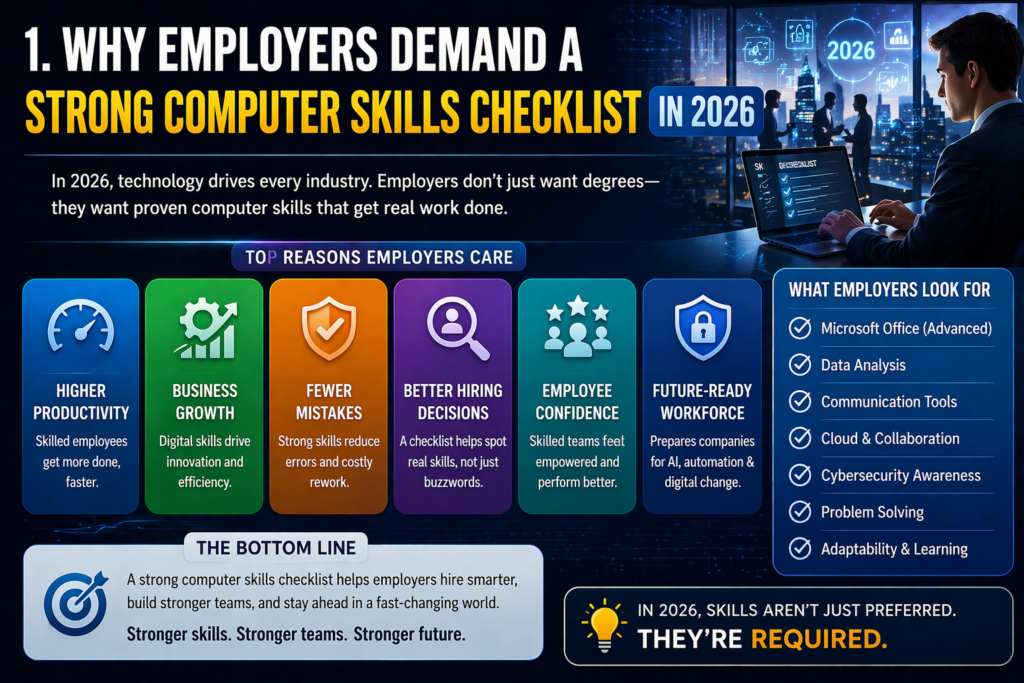
Before diving into the actual Computer Skills Checklist, it is important to understand why these skills matter so much in today’s job market. In 2026, virtually every office — no matter the industry — runs on computers and digital tools. From small startups to large corporations, computers handle communication, documentation, data management, presentations, and project coordination.
According to multiple hiring surveys, over 80 percent of office jobs now list basic computer proficiency as a minimum requirement. Employers do not just want employees who can turn on a computer — they want people who can work efficiently, communicate digitally, manage files professionally, and adapt quickly to new software tools.
The best part? Every single skill on this Computer Skills Checklist can be learned for free, from home, at your own pace. All you need is a computer, an internet connection, and the willingness to practice. Let us see where you currently stand.
2. Basic Computer Operation — The Foundation of Everything
The first section of any Computer Skills Checklist starts with the absolute basics — the foundational skills that every office worker must have before anything else. These are the non-negotiable skills that employers assume you already know the moment you walk through the door.
Check off what you can already do:
- Turn a computer on and off properly using the correct shutdown procedure.
- Use a mouse and keyboard comfortably — clicking, right-clicking, scrolling, and typing.
- Navigate the desktop, taskbar, and Start menu with ease.
- Create, rename, move, copy, and delete files and folders.
- Use common keyboard shortcuts: Ctrl+C, Ctrl+V, Ctrl+Z, Ctrl+S, Ctrl+P.
- Connect to Wi-Fi and troubleshoot basic internet connection issues.
- Install and uninstall software programs safely.
If you can check all seven of these, you are off to a strong start. If some of these feel unfamiliar, do not worry — these can be learned with just a few hours of practice on YouTube or through free beginner courses on platforms like Google Digital Garage or GCFGlobal.org.
3. Microsoft Word Skills — Every Office Job Needs These
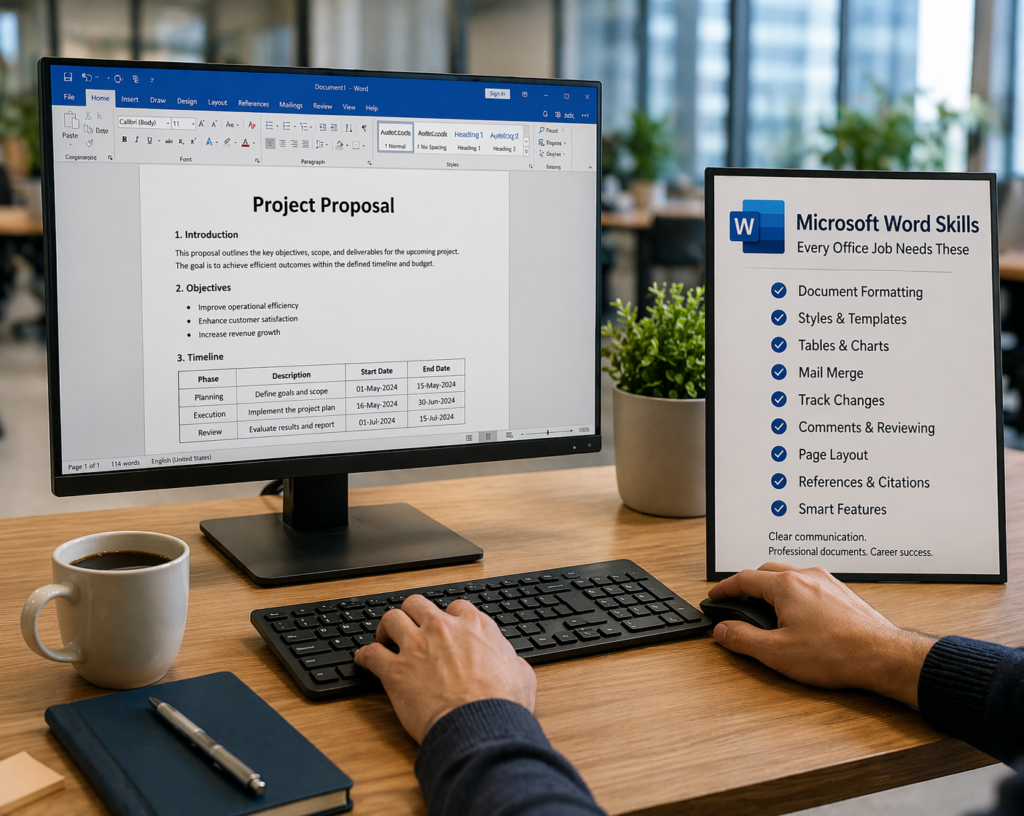
No Computer Skills Checklist for office jobs would be complete without Microsoft Word. Word processing is the backbone of office communication — from writing emails and letters to creating reports, memos, proposals, and official documents. Employers across every industry expect their staff to use Word confidently.
Essential Microsoft Word skills for office jobs:
- Type and edit documents quickly with correct grammar and formatting.
- Apply headings, bold, italic, underline, font size, and font color.
- Create and format tables for organizing information.
- Use bullet points, numbered lists, and paragraph alignment.
- Insert images, headers, footers, and page numbers.
- Use Spell Check and Grammar Check to review documents.
- Save documents in different formats including .docx and PDF.
- Use Find & Replace (Ctrl+H) to make quick edits across long documents.
4. Microsoft Excel Skills — The Most In-Demand Office Tool
If there is one skill that consistently appears at the top of every Computer Skills Checklist for office jobs, it is Microsoft Excel. Excel is used in finance, HR, marketing, operations, sales, administration, and almost every other department. Even basic Excel knowledge can dramatically increase your value as an employee.
Basic to intermediate Excel skills employers expect:
- Enter, edit, and organize data in rows and columns.
- Use basic formulas: SUM, AVERAGE, COUNT, MAX, MIN.
- Format cells — number formats, currency, percentage, and date.
- Sort and filter data to find information quickly.
- Create basic charts — bar, pie, line, and column graphs.
- Freeze rows and columns for easier reading of large spreadsheets.
- Use the IF function for basic conditional logic.
- Print a spreadsheet correctly with proper margins and page setup.
5. Email and Professional Communication Skills
Professional email communication is a critical component of the modern Computer Skills Checklist. In an office environment, email is the primary method of communication with colleagues, clients, managers, and partners. Poor email skills can damage your professional reputation and create misunderstandings.
Professional email skills every office worker needs:
- Set up and manage a professional email account (Gmail or Outlook).
- Write clear, polite, and professional emails with proper subject lines.
- Understand the difference between Reply, Reply All, and Forward.
- Attach files correctly and keep attachments organized.
- Organize your inbox using folders, labels, and filters.
- Use CC (carbon copy) and BCC (blind carbon copy) appropriately.
- Set up an auto-reply or out-of-office message when you are away.
6. Internet and Research Skills for the Modern Office
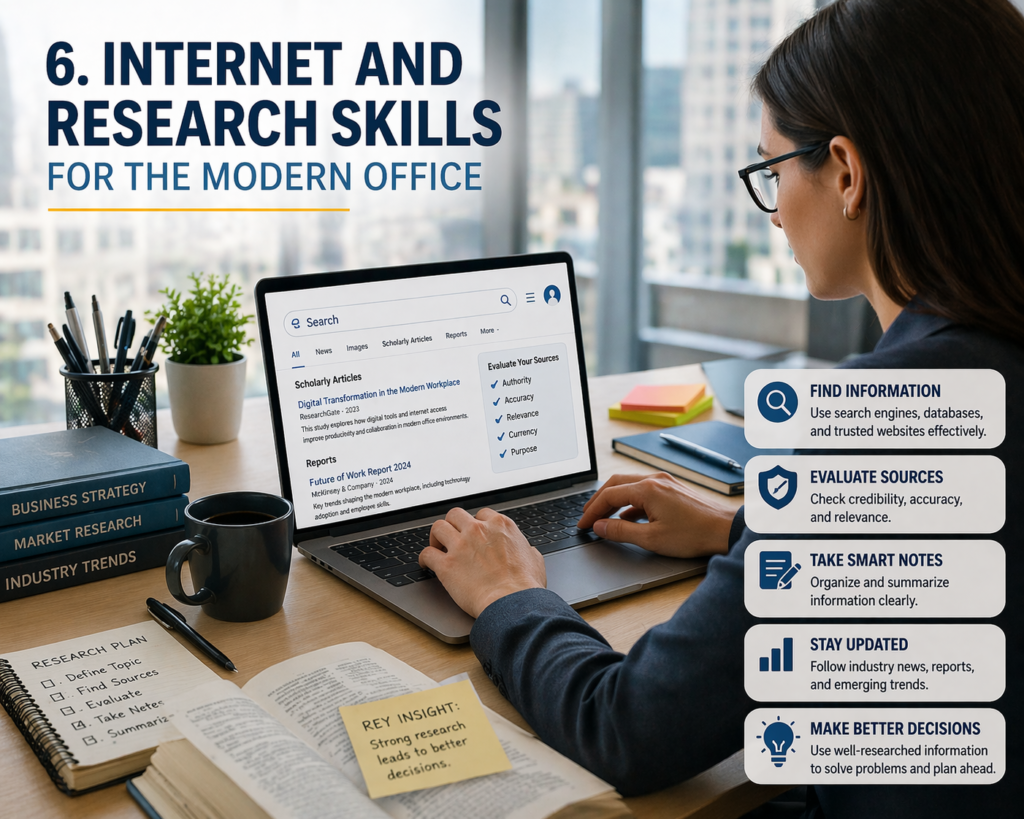
A well-rounded Computer Skills Checklist must include strong internet and research skills. In a modern office, employees are expected to find information quickly, verify facts, and use online tools confidently. The internet is a daily tool — not just for browsing, but for real work.
- Search for information effectively using Google and other search engines.
- Evaluate online sources for reliability and accuracy.
- Download, save, and organize files from the internet.
- Use browser bookmarks and tabs to manage multiple websites.
- Clear cache, cookies, and browsing history for privacy.
- Use incognito/private browsing mode when necessary.
7. Video Conferencing and Remote Work Tools
Since the global shift toward hybrid and remote working, video conferencing tools have become essential additions to the Computer Skills Checklist for any office job. Employers now expect employees to join virtual meetings, share their screen, and communicate effectively through digital platforms.
Key video conferencing skills:
- Set up and use Zoom, Google Meet, or Microsoft Teams.
- Join and host video meetings, mute/unmute yourself, and use the chat feature.
- Share your screen during presentations or collaboration.
- Use virtual backgrounds and adjust camera and microphone settings.
- Record meetings (when permitted) and access recordings afterward.
8. Cloud Storage and File Sharing Skills
Modern offices operate in the cloud. A complete Computer Skills Checklist in 2026 must include comfort with cloud storage platforms where teams store, share, and collaborate on documents in real time. These skills are no longer “nice to have” — they are daily requirements.
- Use Google Drive or Microsoft OneDrive to store and organize files.
- Upload, download, and share files with colleagues using a shareable link.
- Collaborate on Google Docs or Microsoft 365 documents in real time.
- Manage access permissions — decide who can view, comment, or edit.
- Sync files between your computer and the cloud automatically.
9. PowerPoint Presentation Skills
From team briefings to client pitches to training sessions, presentations are a regular part of office life. That is why PowerPoint skills appear on the Computer Skills Checklist of almost every office job description. You do not need to be a design expert — but you do need to know the basics.
- Create a new presentation and add slides with different layouts.
- Add and format text, images, icons, and shapes on slides.
- Apply professional themes and consistent color schemes.
- Add transitions between slides and animations to elements.
- Use Slide Show mode to present confidently.
- Export or save presentations as PDF for easy sharing.
10. Typing Speed and Accuracy: More Important Than You Think
Typing might sound old-fashioned, but it is one of the most overlooked items on the Computer Skills Checklist. In an office environment, you type all day — emails, reports, chat messages, data entry, notes from meetings. Slow typing slows down your entire workflow and makes you appear less professional.
Here is a simple benchmark to know where you stand:
- Below 25 WPM (words per minute): Needs significant improvement before applying for office jobs.
- 25 to 40 WPM: Acceptable for basic data entry roles but should aim higher.
- 40 to 60 WPM: Good — meets the standard for most office and administrative roles.
- 60+ WPM: Excellent — suitable for secretarial, legal, or executive assistant positions.
You can test your typing speed for free at TypingTest.com or 10FastFingers.com. To improve, practice daily using free tools like Keybr, NitroType, or TypingClub. Just 15 minutes of typing practice per day can significantly increase your speed within a few weeks.
11. Basic Cybersecurity Awareness
In 2026, cybersecurity awareness is no longer just for IT professionals. It is now part of the standard Computer Skills Checklist that every employee is expected to understand. A single careless click by one employee can expose an entire company to a data breach. Employers want to hire people who take digital security seriously.
Basic cybersecurity skills every office worker should have:
- Recognize phishing emails and avoid clicking suspicious links.
- Use strong, unique passwords and a password manager.
- Lock your computer screen when leaving your desk.
- Never share your login credentials with anyone, including colleagues.
- Report suspicious activity or emails to the IT department immediately.
- Understand basic data privacy practices and GDPR/data protection awareness.
12. How to Score Your Computer Skills Checklist and What to Do Next
Now that you have gone through the complete Computer Skills Checklist, it is time to assess where you actually stand and create an action plan. Be honest with yourself — this checklist is a tool to help you grow, not a test to make you feel bad.
How to Score Yourself
- 0 to 30% checked: You are at the beginner stage. Start with free courses on basic computer skills. Focus on Windows basics, typing, and Microsoft Word first.
- 30 to 60% checked: You have a foundation but have clear gaps. Identify which sections had the fewest checkmarks and focus your learning there.
- 60 to 80% checked: You are nearly office-ready. Polish your weaker areas, practice regularly, and consider earning a free digital skills certificate.
- 80 to 100% checked: Excellent! You are fully office-ready. Consider advancing to intermediate Excel, data analysis, or project management tools.
Best Free Resources to Build Your Computer Skills
- Google Digital Garage: Free certified courses on digital skills and online tools.
- GCFGlobal.org: Excellent free tutorials for Word, Excel, PowerPoint, and basic computer use.
- Microsoft Learn: Official free training for all Microsoft Office applications.
- YouTube: Search for any skill on this checklist and you will find hundreds of free step-by-step video tutorials.
- Coursera / edX: Free audit options for professional computer skills courses from top universities.
Final Thoughts: Your Computer Skills Checklist Is Your Career Roadmap
The job market in 2026 is competitive, fast-moving, and highly digital. Employers are not just hiring based on degrees or experience alone — they are looking for people who can hit the ground running with the right digital tools. This Computer Skills Checklist is your honest mirror. It shows you exactly what you have, what you are missing, and what you need to do.
The great news is that every skill on this Computer Skills Checklist is completely learnable. There are no natural talents required — only consistency and practice. You do not need to spend money on expensive courses. You do not need a computer science degree. You just need to commit to learning a little every single day.
Start today. Open YouTube. Search for one skill from this Computer Skills Checklist that you are not confident about. Watch a tutorial. Practice it. Then move to the next one. Skill by skill, day by day, you will transform yourself into a candidate that any employer would be proud to hire. Your office career starts with a checklist — and it starts right now.