 vikram@gmail.com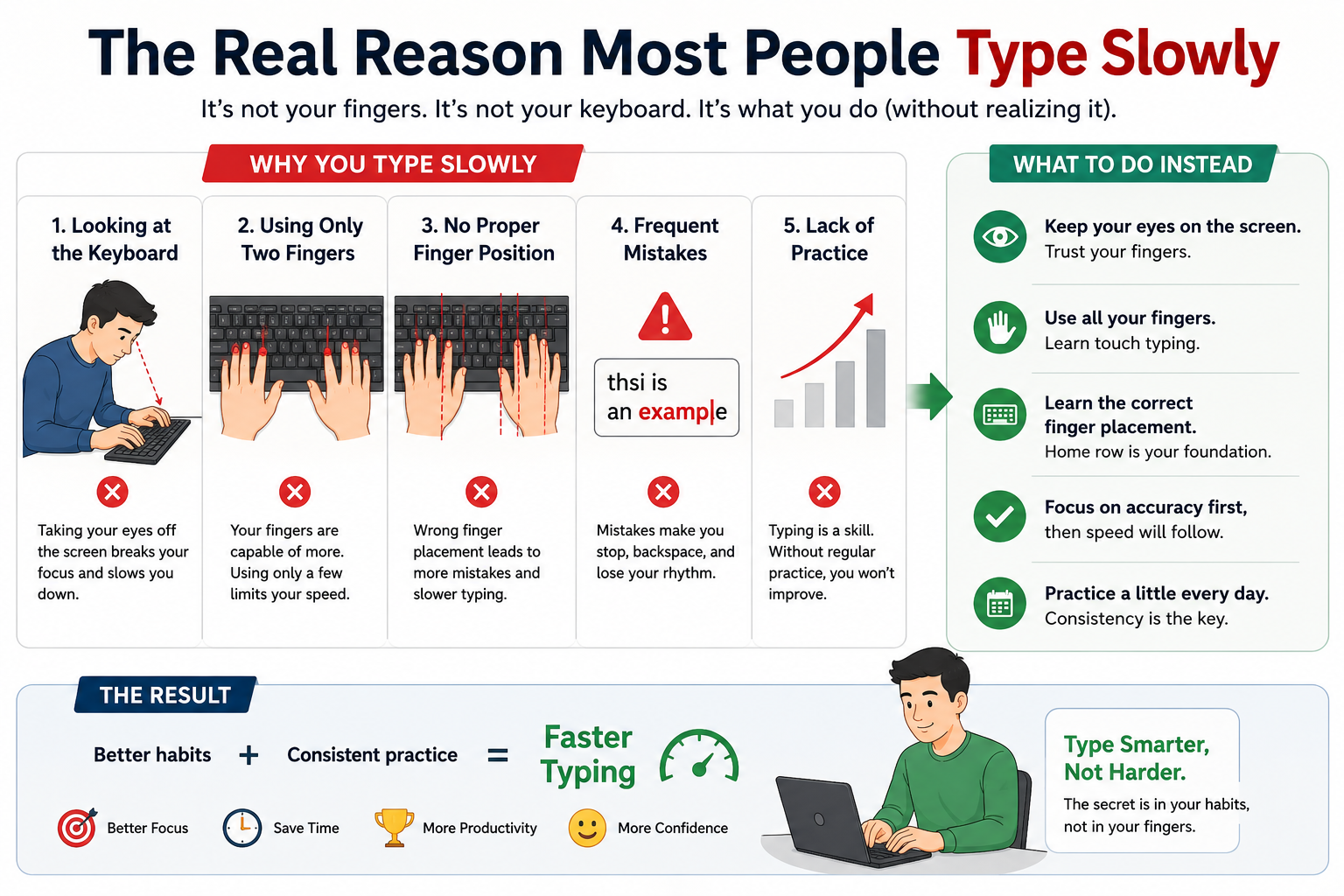
INTERODUCTION:-
We live in a world where almost everything happens on a screen. From sending emails and writing reports to chatting with friends and applying for jobs — everything involves a keyboard. Yet most people never take the time to actually learn how to use one properly.
If you have ever watched someone type without looking at the keys, fingers flying across the board with zero hesitation, you already know what is possible. That kind of skill does not happen by accident. It is built — one practice session at a time.
This guide is written specifically for absolute beginners. Whether you have never thought about your typing technique or you have been hunting and pecking for years, everything you need to know about how to type faster on a keyboard is right here. Follow these steps honestly and your speed will improve faster than you expect.
The Real Reason Most People Type Slowly
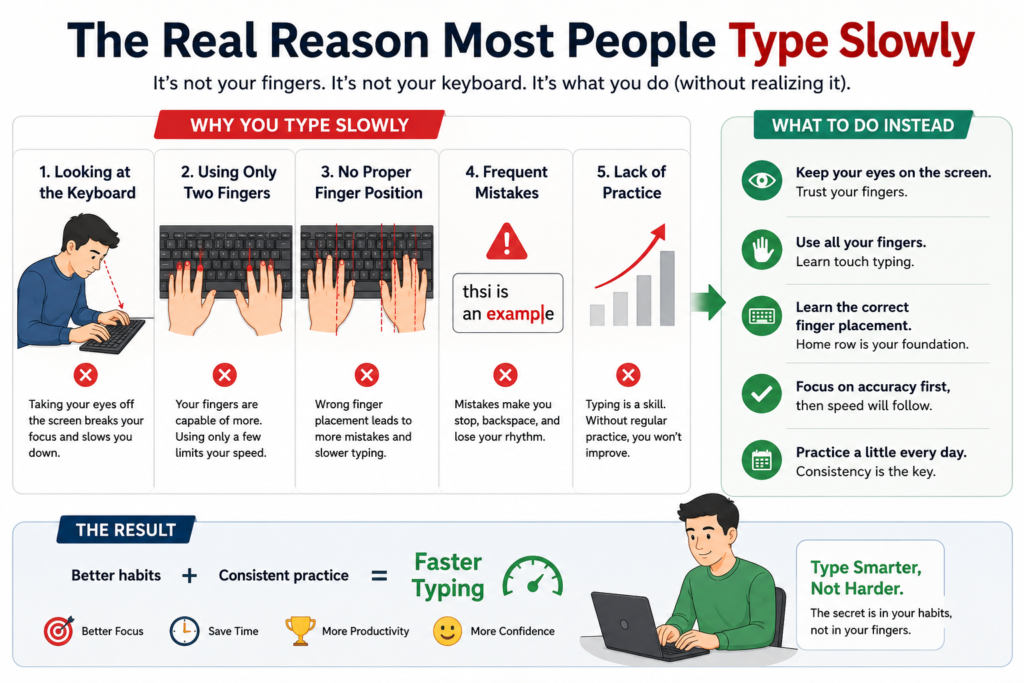
Before diving into the tips, it helps to understand why most beginners type slowly in the first place.
It is not because they are not smart. It is not because their fingers are slow. The real reason is simple — bad habits learned early and never corrected.
Most people taught themselves to type. They figured out where the letters were, developed a system using two or three fingers, and got just fast enough to get by. That system works — until it does not. There is a ceiling on how fast you can go when you are hunting for each key instead of knowing exactly where it is.
Learning how to type faster on a keyboard means breaking those old habits and replacing them with techniques that have been proven to work. It takes a few weeks of uncomfortable practice, but the payoff lasts a lifetime.
Tip 1 – Get Your Physical Setup Right First
This step sounds boring. Most people skip it. Do not skip it.
Your typing speed is directly affected by how comfortable and supported your body is while you type. If your wrists hurt, your back is hunched, or your screen is in the wrong position, your brain is constantly distracted by discomfort — and that slows everything down.
Here is the correct setup for anyone learning how to type faster on a keyboard:
- Feet flat on the floor — no crossing your legs or dangling feet
- Back straight but relaxed — use a chair with good lumbar support
- Elbows at 90 degrees — your forearms should be roughly parallel to the floor
- Wrists floating lightly — not pressed against the desk, not bent awkwardly
- Screen at eye level — looking slightly down at a screen causes neck strain
- Keyboard centered in front of you — not pushed to one side
Set this up once and make it a habit. Your fingers will move faster when the rest of your body is not fighting against you.
Tip 2 – Master the Home Row Keys
If there is one thing every typing teacher agrees on, it is this: the home row is everything.
The home row is the middle row of letters on your keyboard:
A – S – D – F – G – H – J – K – L – ;
This is where your fingers live. This is their home base. Every time you press a key anywhere on the keyboard, your fingers should come back to this row automatically.
Here is the placement:
- Left pinky → A
- Left ring finger → S
- Left middle finger → D
- Left index finger → F
- Right index finger → J
- Right middle finger → K
- Right ring finger → L
- Right pinky → ;
- Both thumbs → Space bar
You will notice that F and J have small bumps on them. Those bumps exist so you can find the home row without looking. Run your fingers across the keyboard right now and feel for those bumps. That is your anchor point every single time.
Anyone serious about learning how to type faster on a keyboard must memorize home row first. Everything else builds on top of this foundation.
Tip 3 – Stop Looking at Your Hands
This is the hardest habit to break. It is also the most important one.
When you look at the keyboard while typing, your brain splits its attention between two tasks — thinking about what to write, and searching for each key visually. That split slows you down dramatically. Professional typists do not look because their fingers already know where to go. That knowledge is called muscle memory, and it is built through repetition, not by thinking.
Here is how to stop looking at your keyboard:
- Place a small towel or piece of paper over your hands while you practice
- Use online typing tools that hide the keyboard on screen
- When you make a mistake, resist the urge to look — feel for home row and correct by touch
- Practice the same keys in the same order until pressing them feels automatic
The first few days will be painfully slow. That is normal. Push through it. Once your fingers start remembering on their own, your speed on how to type faster on a keyboard will jump in a way that surprises you.
Tip 4 – Use All Ten Fingers, Not Just Two or Three
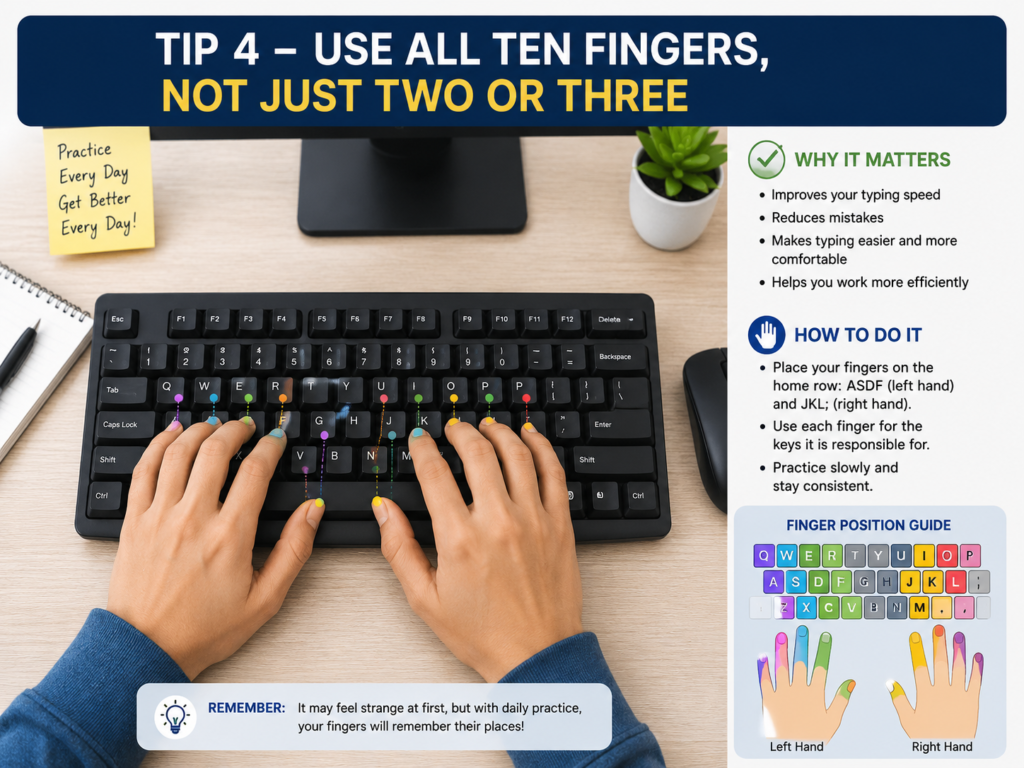
Most self-taught typists use between two and four fingers. Some incredibly fast hunt-and-peck typists exist, but they are the exception. For most people, limiting yourself to a few fingers creates a permanent speed ceiling.
Touch typing — the technique used by every professional typist — assigns specific keys to specific fingers. Your brain stops thinking about individual letters and starts thinking in chunks of words. That is where real speed lives.
Here is the full finger map for how to type faster on a keyboard using all ten fingers:
Left Hand:
- Pinky: Q, A, Z
- Ring: W, S, X
- Middle: E, D, C
- Index: R, F, V, T, G, B
Right Hand:
- Index: Y, H, N, U, J, M
- Middle: I, K, comma
- Ring: O, L, period
- Pinky: P, semicolon, slash
Thumbs: Space bar
Your pinky fingers will feel weak at first — that is because you have never used them properly. They will get stronger with practice. Do not give up on them.
Tip 5 – Accuracy Comes Before Speed — Always
Here is advice that most beginners ignore, and then wish they had followed:
Do not try to type fast. Not yet.
Speed without accuracy is just noise. Every time you mistype a word and have to backspace and fix it, you are actually losing time — not saving it. A typist who types 30 WPM with 99% accuracy is faster in real terms than someone typing 50 WPM with 80% accuracy.
When learning how to type faster on a keyboard, your first goal should be zero errors at whatever speed feels comfortable. Build accuracy first, then gradually push the speed up. Your fingers will naturally get faster as muscle memory develops.
A helpful target progression:
- Days 1–7: Type slowly with zero errors. Speed does not matter.
- Days 8–14: Aim for 25 WPM with under 3% error rate.
- Days 15–30: Push toward 35–40 WPM while keeping errors low.
- Month 2 onward: Let speed climb naturally as accuracy holds.
This is the real path to learning how to type faster on a keyboard — not rushing, but building a solid foundation.
Tip 6 – Use the Best Free Practice Tools Available
You do not need to spend money to improve. These free tools are genuinely excellent for beginners:
Keybr.com
Introduces keys one at a time and adapts to your personal weak spots. Perfect for absolute beginners starting from scratch.
TypingClub.com
A structured course with video lessons, games, and a built-in progress tracker. One of the most beginner-friendly platforms available for learning how to type faster on a keyboard.
10FastFingers.com
Tests your speed using the most common words in the English language. Great for daily practice once you have learned basic technique.
Monkeytype.com
A clean, distraction-free typing test with hundreds of customization options. Popular among intermediate and advanced typists.
TypeRacer.com
A multiplayer typing game where you race against other users. Makes practice feel like a competition and keeps motivation high.
Use at least one of these tools every single day. Even fifteen minutes of daily focused practice will produce noticeable improvement within two weeks.
Tip 7 – Build a Practice Routine You Will Actually Follow
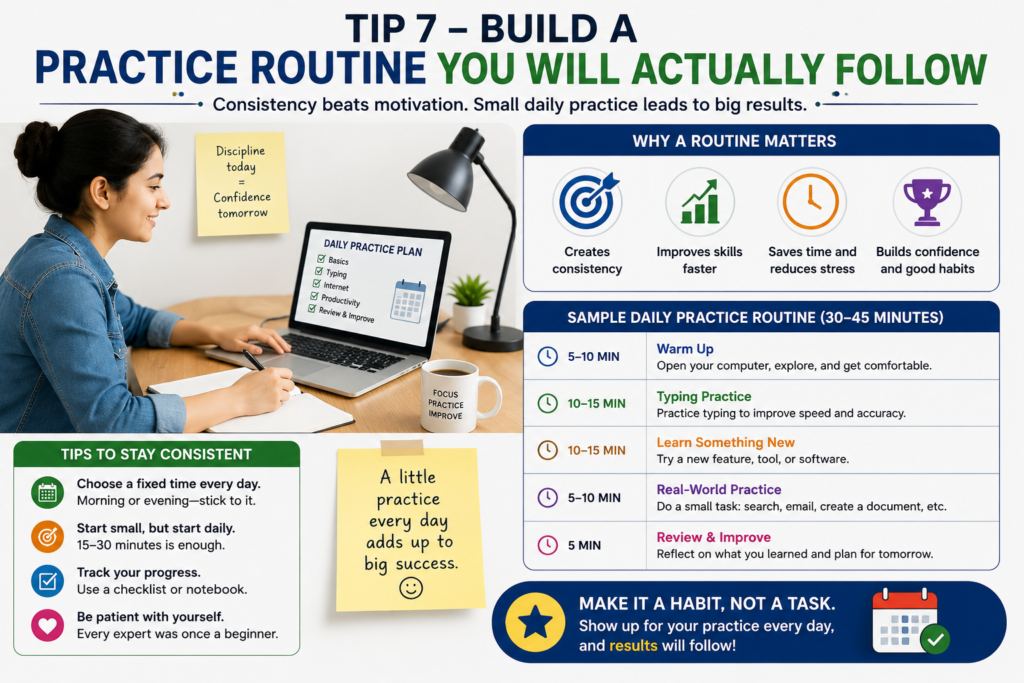
Consistency beats intensity every time. One hour of typing practice once a week will get you almost nowhere. Twenty minutes every single day will transform your speed within a month.
Here is a simple daily practice routine for beginners working on how to type faster on a keyboard:
| Duration | Activity |
|---|---|
| 5 minutes | Warm up — slowly type the alphabet and home row keys |
| 10 minutes | Structured lesson on Keybr or TypingClub |
| 5 minutes | Speed test on 10FastFingers |
| 5 minutes | Type a paragraph from an article, book, or news story |
Total: 25 minutes
That is it. Twenty-five minutes per day, every day. No excuses, no skipping. Do this for thirty days and your typing speed will be unrecognizable compared to where you started.
Tip 8 – Learn Keyboard Shortcuts to Work Faster
Keyboard shortcuts do not increase your raw WPM score, but they make you dramatically faster in real-world tasks. Every time you reach for the mouse to click a menu item that has a shortcut, you are wasting three to five seconds. Those seconds add up to minutes over the course of a day.
Here are the most essential shortcuts for anyone learning how to type faster on a keyboard:
| Shortcut | What It Does |
|---|---|
| Ctrl + C | Copy selected text |
| Ctrl + V | Paste |
| Ctrl + X | Cut |
| Ctrl + Z | Undo last action |
| Ctrl + Y | Redo |
| Ctrl + A | Select everything |
| Ctrl + S | Save file |
| Ctrl + F | Find on page |
| Ctrl + B | Bold text |
| Ctrl + Backspace | Delete entire word |
| Alt + Tab | Switch between open windows |
| Win + L | Lock your computer |
Memorize five of these this week. Add five more next week. Within a month, shortcuts will become second nature and your overall workflow speed will increase significantly.
Tip 9 – Track Your Progress Every Week
Progress that is not measured is progress that gets forgotten.
Keep a simple record of your typing speed and accuracy at the end of each week. You can use a free Google Sheet, a notes app, or even a paper notebook. Write down:
- The date
- Your WPM score from a speed test
- Your accuracy percentage
- What you focused on that week
When you can look back and see that you went from 22 WPM in week one to 45 WPM in week six, it creates powerful motivation to keep going. Tracking your numbers is one of the most underrated strategies for anyone serious about how to type faster on a keyboard.
Tip 10 – Type Real Content, Not Just Drills
Typing drills are important. But at some point, you need to apply what you are learning to real writing.
Every day, find a paragraph from a blog post, a news article, a book chapter, or anything that interests you — and type it out. This kind of practice does two things that drills cannot:
First, it exposes your fingers to unpredictable word combinations — not just the most common words used in typing tests. Second, it connects the physical act of typing to actual thinking and writing, which is ultimately what you want to be able to do quickly.
Real-world typing practice is the bridge between knowing how to type faster on a keyboard in theory and actually doing it fluently in everyday life.
Common Mistakes That Kill Your Typing Speed
Watch out for these habits that slow down nearly every beginner:
Looking at the keyboard constantly — Visual searching destroys speed. Stop it early.
Typing too fast before you are ready — Rushing leads to errors, errors lead to backspacing, backspacing is slow.
Skipping home row — Without a home base, your fingers have no system. Everything becomes random guesswork.
Practicing inconsistently — Twice a week is not enough to build muscle memory. Daily practice is non-negotiable.
Using only your dominant hand fingers — Both hands need to be equally trained. Give equal attention to your left and right sides.
Giving up after one bad session — Every typist has slow days. One bad session does not mean you are not improving. Keep going.
Avoiding these mistakes will cut weeks off the time it takes you to learn how to type faster on a keyboard.
Realistic Timeline: How Fast Can You Get?
Here is what you can realistically expect if you practice consistently using proper technique:
| Timeline | Expected Speed |
|---|---|
| End of Week 1 | 20–30 WPM |
| End of Week 2 | 30–40 WPM |
| End of Month 1 | 40–55 WPM |
| End of Month 3 | 60–70 WPM |
| End of Month 6 | 75–90 WPM |
These are averages for people who practice daily. Some people progress faster, some slower. The important thing is the direction — as long as your numbers are moving upward over time, you are succeeding at how to type faster on a keyboard.
The Mindset That Makes the Difference
Skills are not built in a day. Typing is no different.
There will be days when your fingers refuse to cooperate. Days when you feel like you are going backward instead of forward. Days when you wonder why you are putting in this effort at all.
On those days, remember this: muscle memory is being built in the background even when it does not feel like it. The brain needs repetition to wire new patterns. Every practice session — even a frustrating one — is adding another layer to that foundation.
The people who master how to type faster on a keyboard are not necessarily the most talented. They are the most consistent. They showed up every day, practiced with intention, and trusted the process even when progress felt invisible.
You can be that person. Start today.
Final Summary
Here is everything covered in this guide, boiled down to its core:
- Set up your workstation correctly before anything else
- Learn the home row and never abandon it
- Stop looking at the keyboard — build touch typing from day one
- Use all ten fingers with proper key assignments
- Focus on accuracy first, then gradually increase speed
- Practice daily using free tools like Keybr, TypingClub, and 10FastFingers
- Follow a simple 25-minute daily routine
- Learn keyboard shortcuts to boost real-world speed
- Track your WPM and accuracy every week
- Type real content, not just repetitive drills
- Stay consistent and trust the process
Mastering how to type faster on a keyboard is one of those rare skills that keeps paying dividends for the rest of your life. It makes you more productive, more confident, and more capable across everything you do on a computer.
Start your first practice session today. Your future self will thank you.
If you are a complete beginner, you should also read our detailed guide on basic computer skills to build a strong foundation before improving your typing speed.
You can practice daily using platforms like Typing.com and Keybr, which are designed to improve your typing speed and accuracy.